Text cannot be selected, tables are trapped in page images, and copied content loses structure.
Scanned PDF OCR converter
Scanned PDF to Word with layout preserved
Upload an image-based PDF and get an editable DOCX that keeps tables, paragraphs, and page structure close to the original scan.
- OCR for image-only PDFs
- Editable DOCX
- Up to 50 pages per job

Why users choose it
Built for the files ordinary PDF converters struggle with
Most PDF converters work well only when text is already selectable. ScanDoc Word helps with image-based pages, classroom worksheets, contracts, invoices, and tables that need OCR first.
OCR recognizes text and rebuilds paragraph flow, tables, headings, and page order into DOCX.
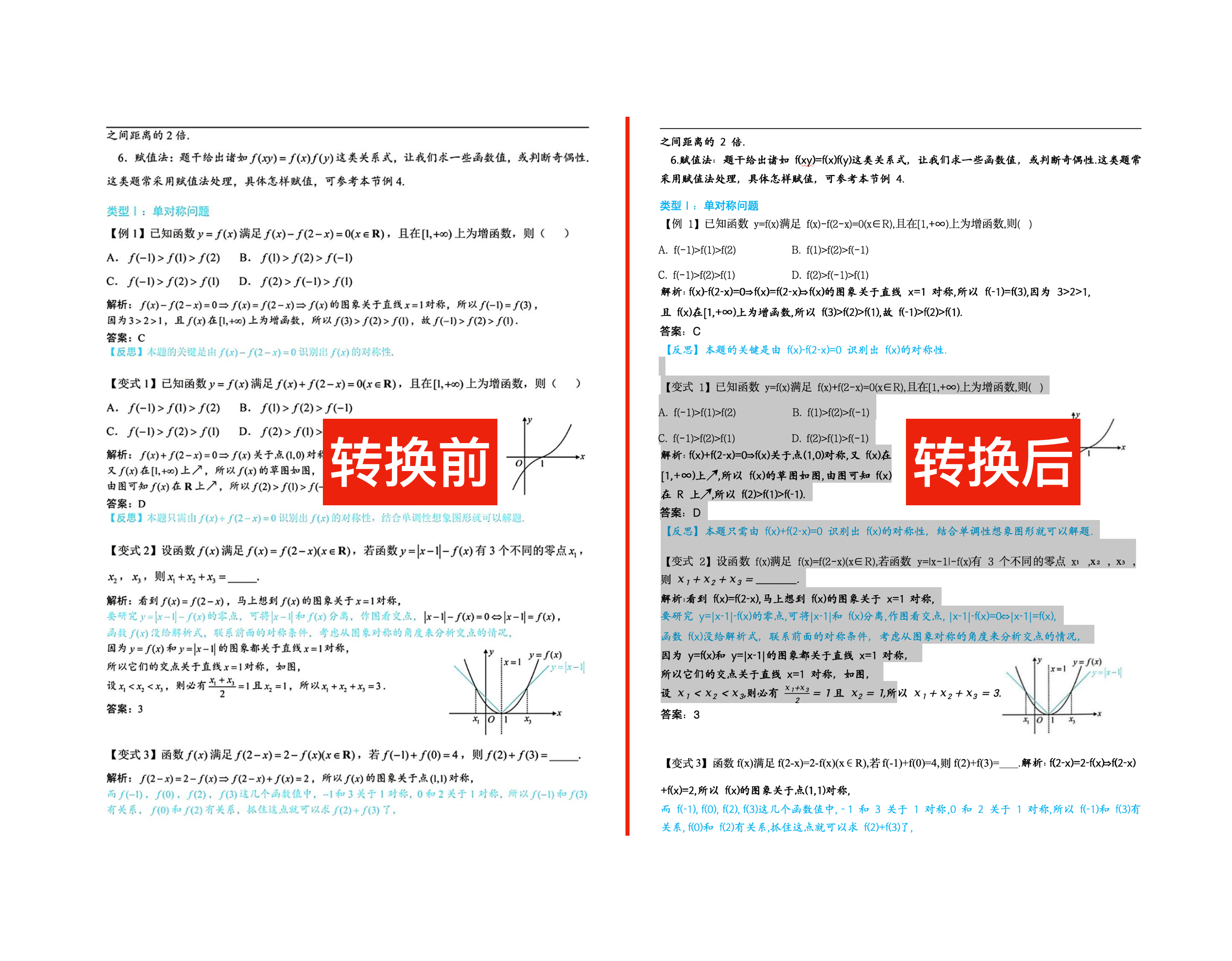
For PDFs over 50 pages, choose a page range and create multiple jobs instead of overloading the converter.
Show users the upload, conversion, and download state in one place so the workflow feels predictable.
Let users test selected pages first. This lowers risk and makes the quality difference visible.
Start converting
Upload a scanned PDF
Upload a scanned PDF, choose the pages you need, and convert it with the same OCR workflow used by the app.
- 1Upload PDF
- 2Choose pages
- 3Convert and download
Recent conversions
Your job history
No conversions yet.
Built for scanned PDFs
Image-based pages are processed with OCR so the output can become editable Word text instead of a flat screenshot.
Layout-aware output
The product focuses on preserving paragraphs, tables, headings, and original document structure as closely as possible.
Clear file handling
Files are used for the requested conversion workflow, with clear upload, processing, and download states shown in one place.
High-intent use cases
For the documents people actually need to edit
PDF guides
Learn how to work with scanned PDFs
GuideHow to convert a scanned PDF to editable Word
A practical step-by-step guide for turning scanned pages into editable DOCX files.
FixWhy PDF to Word loses formattingExplain the problem and send users back to the OCR converter.
TablesConvert scanned tables from PDF to WordLearn how OCR rebuilds rows, columns, and table text in Word.
LegalConvert scanned contracts to WordA vertical use-case page for office and legal workflows.
OCROCR PDF to Word converterTarget users who already understand they need OCR before DOCX output.
Image PDFImage-based PDF to WordExplain why picture-only PDFs require OCR conversion.
InvoicesConvert scanned invoices to WordPrepare scanned invoice text and tables for editing, review, or reuse.
EditableMake a scanned PDF editableCatch problem-led searches from users who need editable text.
Questions
What ScanDoc Word supports
Can it convert scanned PDFs?
Yes. ScanDoc Word supports image-based scanned PDFs, using OCR to create editable Word output.
Will the layout be identical?
The converter is designed to preserve layout, tables, and formatting. Very low-resolution, handwritten, tilted, or complex files may need manual cleanup.
Can I try it before converting a large PDF?
Yes. For long scanned PDFs, choose a small page range first, check the DOCX output, then convert the remaining pages in batches of up to 50 pages.